Camera-ready event lighting in the UAE
By the EchoLight team — event production across the UAE
Most events in the UAE now have a camera somewhere: a photographer, a videographer, a livestream, a broadcast crew from a government client, or a hundred guests filming on phones. A room that looks beautiful to the eye can look green, flat or striped on camera. This guide explains the three things that decide that, and how to brief them before load-in.
01 / WHY IT MATTERSThe eye forgives, the sensor does not
Your eyes adapt constantly. A camera sensor does not: it records the light exactly as it is, frame by frame. That is why a stage that felt warm and elegant in the room can appear orange on the livestream, or why a flawless LED wall shows rolling dark bands on a phone held up by a guest. None of this is a fault of the camera; it is a mismatch between the light, the screen and the settings.
02 / COLOUR RENDERINGCRI: skin tones and fabrics first
The Colour Rendering Index is a 0–100 scale defined by the CIE that rates how naturally a light shows colours compared with a reference source; the higher the number, the more faithful the colour (Wikipedia: Color rendering index). On an event stage the practical effect is simple: skin tones, gold embroidery, floral colours, a kandura and an abaya all depend on it. Low-CRI fixtures make faces look grey or green and make saturated brand colours drift.
The decision rule we use: for any area that will be filmed close up, such as a keynote podium, an award presentation or a head table, choose spotlights and wash fixtures with high colour rendering and keep cheap, low-quality LED sources for background texture only. For a quick refresher on what each fixture type does, see our guide to beam, wash and spot moving heads.
03 / COLOUR TEMPERATUREPick one white and hold it
Correlated colour temperature, measured in kelvin, describes how warm (orange) or cool (blue) a white light appears; lower numbers are warmer (Wikipedia: Color temperature). Cameras are balanced for a chosen white. If your key light is 3200 K, your LED wall is 6500 K and the venue's downlights are 2700 K, the camera cannot make all three look right at once.
| Source in the room | Typical white | What to do |
|---|---|---|
| Venue downlights (hotel ballroom) | Warm, about 2700–3000 K | Dim them out for the show, or match your key light to them |
| Stage key light | Chosen by the designer | Fix one value and tell the camera team |
| LED screen white point | Often cool, up to about 6500 K | Calibrate to the room; avoid pure white slides behind speakers |
| Daylight through windows | Cool, changes by the hour | Block it, or schedule filming after sunset |
In the UAE this matters most for daytime conferences in glass-fronted venues and for outdoor-to-indoor receptions where sunlight and warm chandeliers mix. Our conference AV setup checklist covers the windows and blackout questions to ask the venue.
04 / FLICKERDimming that cameras can see
Many LED fixtures and LED screens dim by switching rapidly on and off. The eye averages this out; a camera with a fast shutter does not, and records dark bands, pulsing or a strobing effect. Slow-motion video and phones are the most sensitive. Three habits prevent most problems:
Test on the real camera
Ask the videographer to shoot a short clip of the actual lighting levels at the actual shutter speed during the technical rehearsal, not a different room. Review it on a screen, not the camera's tiny display.
Use the right dimming mode
Modern fixtures offer high-frequency or flicker-free modes. Setting these through the console is a normal part of programming; see our DMX lighting control guide.
Treat the LED wall as a light source
Screens carry both flicker risk and a strong colour cast on faces. Brightness and refresh settings that look fine live may band on camera; compare options in LED screens vs projectors and, for rental questions, our LED screen rental page.
05 / PLANNINGWhat changes by event type
| Event (illustrative) | Camera need | Lighting focus | Typical range, excl. VAT |
|---|---|---|---|
| Lobby moment or brand corner | Phones, short social clips | Soft front light, warm-neutral colour, no hard shadows | AED 8,000–20,000 |
| Town hall or briefing | Livestream, recorded speeches | Even key light on speakers, calibrated screen, flicker-safe dimming | AED 30,000–70,000 |
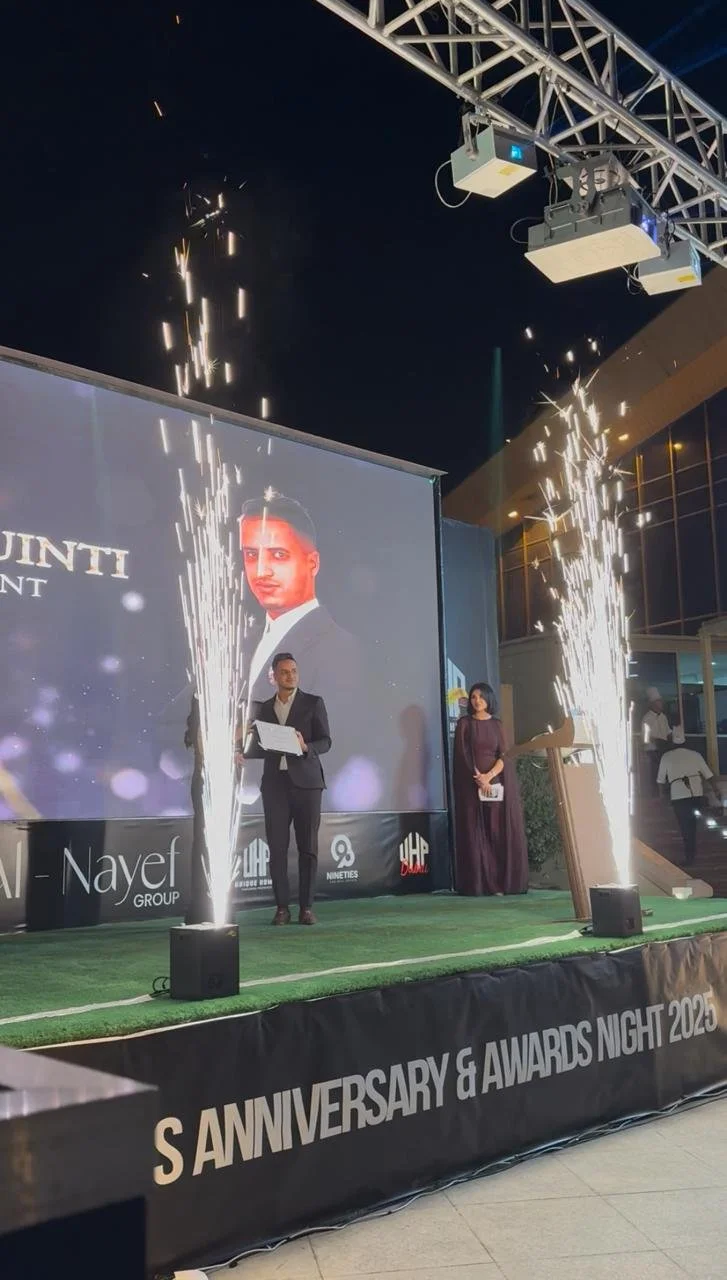
| Hotel gala or awards | Photo, video, possible broadcast | Dedicated presentation light, controlled haze, colour discipline across the room | AED 65,000–200,000 |
Ranges are typical and depend on room size, fixture count and how much existing venue lighting can stay on. To see how quantity affects design, read how many lights an event needs; for award nights specifically, award ceremony production shows how presentation moments are lit. Hybrid and streamed events add a second audience, covered in hybrid event production.
Haze improves beams but can soften faces on camera and must be agreed with the venue; our haze and fog guide explains the detector and venue-policy side.
06 / BRIEFA five-line camera brief
Send this to your production company at the start, and the lighting design will answer all of it:
1) Who is filming and what will be delivered (photos, highlight reel, livestream, broadcast)? 2) Camera model or shutter setting if known. 3) The three moments that matter most on camera. 4) Venue lighting that cannot be turned off. 5) Screen content: bright white slides or dark branded ones. Pre-visualising the room, as described in event lighting pre-visualisation, lets you check these before anything is rigged.
07 / FAQQuestions we hear
What CRI do I need for a filmed event?
There is no single legal number, but higher is better wherever faces are filmed close up. Use high-CRI fixtures on podiums, head tables and presentation points, and reserve lower-quality sources for background effects. Ask your production company to confirm the specification of the fixtures on your key positions.
Why does my LED wall show lines on my phone?
Phone cameras use fast shutter speeds and can catch the way a screen refreshes or a fixture dims, which shows up as bands or flicker. Changing the dimming mode, the screen refresh or the camera shutter normally solves it. A short test during rehearsal finds the right combination.
Should all lights be the same colour temperature?
Your main light on people should be one chosen white that the camera can be balanced to. Coloured effects, haze beams and uplighting can differ, but mixing several different whites on the same face makes colour correction hard for photographers and video editors.
Can you work with our own camera crew?
Yes. Share the crew's contact and camera settings early, and we will schedule a camera check in the technical rehearsal so lighting, screens and recording settings are matched before guests arrive.
Filming your event in the UAE?
Tell us the date, venue and what the camera needs to capture, and we will suggest a lighting plan that looks right live and on screen.
Message us on WhatsAppRelated: Event lighting · Gala dinner lighting · Product launch production · AV production costs · All guides